


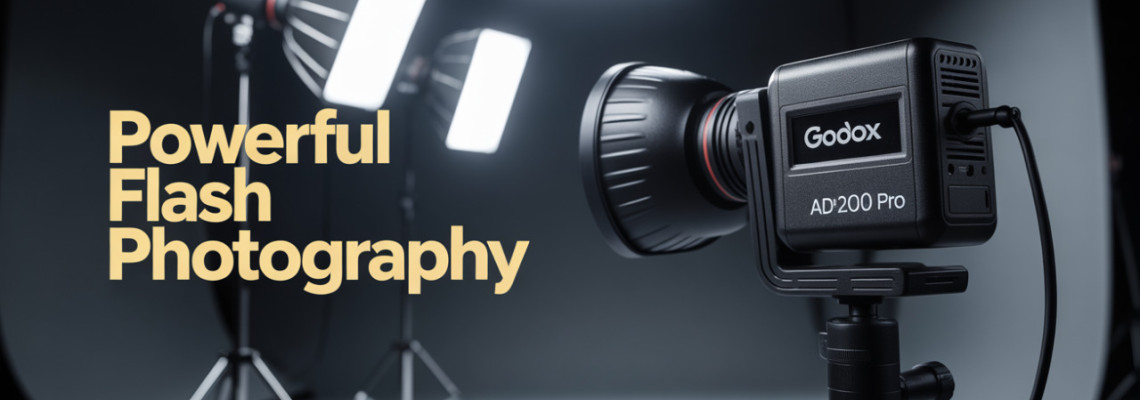
In the world of photography, what is off-camera flash photography is a foundational question for anyone who wants to move beyond on-camera lighting and create more dynamic, professional images. This article by Geonline walks you through how off-camera flash works, especially using Godox gear, so you’ll gain practical, hands-on knowledge grounded in real experience.
Whether you’re a beginner trying to decide why use Godox off-camera flash, or you’re stepping into more advanced setups like high-speed sync with Godox flashes or how to set up multiple Godox flashes, you’ll find actionable insights here.
Why Use Off-Camera Flash Photography
Off-camera flash photography means placing your flash (or flashes) away from the camera’s built-in or on-camera position. It opens creative possibilities that simply aren’t available when your flash is stuck on the hot-shoe facing forward.
Benefits
Separation of subject and background: By placing the flash off-camera you can control where the light hits and how the background falls off.
Better modelling of light: You can create directional light, side light, rim light or back-light — helping shape the subject.
More professional look: Off-camera flashes allow you to avoid flat, front-facing light that often gives an “automatic” look.
Flexibility: You can adjust power, angle, modifiers, and distance more easily when the flash isn’t constrained to camera position.
Why Use Godox Off-Camera Flash
When discussing off-camera lighting gear, many photographers ask why use Godox off-camera flash. From practical experience:
Godox offers excellent value-for-money, making it accessible to beginners and enthusiasts.
They have a broad range of flashes, modifiers, triggers, and stands, which gives flexibility.
Their wireless flash system and compatibility across brands (Canon, Nikon, Sony, Fujifilm, etc) make them a strong choice for multi-brand or evolving setups.
Because of these factors, if a photographer is serious about off-camera flash but budget-conscious and wants growth potential, using Godox off-camera flash makes a lot of sense.
Best Godox Flashes for Beginners
If you’re new to off-camera flash, choosing your first unit can feel overwhelming. Here’s a list of beginner-friendly Godox flashes, and criteria to pick the right one.
Criteria for Beginners
Flash with built-in wireless trigger or compatible with a trigger.
Sufficient guide number/power for typical portrait or event use.
TTL (Through-The-Lens) capability for easier learning, but manual mode available.
Off-camera support (stands, clamps, modifiers).
Good support and accessories.
Top Beginner Models
Here are some recommended units:
Godox TT685 II – a well-rounded speedlight with built-in X wireless system and TTL/manual capability.
Godox V1 – round head design, excellent for portraits, supports modifiers, and built-in X system.
Godox AD200Pro – a smaller strobe style (portable power-pack and head) for off-camera setups.
Godox AD300Pro – slightly more powerful, better for larger rooms or small studios.
Godox FL150/FL200 – entry-level LED-flash combination lights if you also want video/continuous.
These units give you the flexibility to learn both TTL and manual lighting, off-camera placement, and wireless triggering without breaking the bank.
Godox Flash Compatibility Guide
When stepping into off-camera flash with Godox, compatibility matters. Here’s a guide to ensure your gear works together seamlessly.
Compatibility Checklist
Camera brand: Godox makes versions for Canon, Nikon, Sony, Fujifilm, Olympus, etc. Make sure the flash you buy matches your camera mount (or use firmware if available).
Wireless trigger system: The Godox X wireless system (more on that later) links camera + flash + triggers. Ensure all parts support the same channel/group and system version.
Modifiers and accessories: Softboxes, grids, umbrellas, etc. Make sure your flash head size and mounting type (e.g., Bowens mount, proprietary) match.
Stands & power: Ensure your flash can work off-camera easily: light stand, boom arm, power supply (if strobe).
Firmware updates: Godox frequently updates firmware to improve compatibility. Check that your unit is up to date.
Common Compatibility Pitfalls
Buying a Godox flash labelled for “Sony” and using on a “Canon” body without verifying mount/trigger compatibility.
Using an older trigger model that doesn’t support the newer X wireless protocol or high-speed sync (HSS).
Forgetting that strobe units (power pack + head) might need separate accessories compared to speed-light units.
By following a Godox flash compatibility guide like this, you’ll avoid wasted money and frustration.
How to Use Godox Flash Off-Camera
Now we get into the core: how to use Godox flash off-camera. This section walks step-by-step through setup, inspiration, and practical workflow.
Step-by-Step Guide
Mount flash on a light stand or tripod: Place the unit where you want the light to originate.
Connect trigger to camera: Use a compatible Godox transmitter (e.g., XPro, X2T) that pairs with your camera brand.
Set flash to wireless slave mode: On many Godox units you’ll set MODE = “Slave”, or WL = “ON”, channel/group as per trigger.
Select channel/group on both trigger and flash: They must match.
Decide TTL vs manual: For learning, set to TTL first, shoot test shots; then switch to manual to take full control.
Position your flash: Maybe 45° to subject, slightly higher than eye-level, maybe behind for rim light.
Modify the light: Use softbox, umbrella, grid, etc to shape light.
Adjust power/distance: In manual mode, start at 1/4 power or equivalent and adjust. In TTL mode check exposure and fine-tune flash compensation.
Test and adjust: Take a shot, review histogram, shadows, highlights. Move flash or adjust power accordingly.
Shoot – refine: As you shoot more, refine angles, power, distance, and modifiers to fit your vision.
Practical Workflow Tips
Always check the connection: flash and trigger channel/group matching prevents mis-fires.
Keep a sync test: many triggers support high-speed sync (HSS) — see section below.
If working in bright outdoor light, raise flash power or use HSS.
For portraits, try off-camera flash as main light + ambient fill, rather than replacing ambient entirely.
Use manual control once comfortable: your control over light is much greater.
My own experience (writing for Geonline) shows that once photographers move from TTL-on-camera to manual off-camera with Godox, their lighting quality jumps noticeably. It felt like unlocking a new creative level.
Godox Wireless Flash System Explained
One of the key features that makes Godox a strong choice is the wireless flash system — how to trigger Godox off-camera flash and understanding Godox X wireless system.
Understanding the Godox X Wireless System
The Godox X system is a 2.4 GHz wireless radio trigger system built into many Godox flashes and transmitters.
It supports wireless TTL, manual mode, high-speed sync (HSS), multi-flash groups, and remote settings (on compatible units).
With Godox X you can control multiple flashes across groups A/B/C, each on adjustable channels to avoid interference.
How to Trigger Godox Off-Camera Flash
Attach Godox transmitter (e.g., XPro) to camera’s hot-shoe.
Set transmitter channel (e.g., Channel 1) and group (A/B/C) settings.
On each off-camera flash set the same channel, assign group letter, and set mode (TTL, M).
Once paired, pressing the shutter triggers the flashes wirelessly.
You can adjust power of each group via transmitter (on supported flashes) or directly on flash unit.
For multiple flashes: assign each to different groups so you can control power individually.
Advantages of the Wireless System
No need for sync cables across room/venue.
Reliable even when camera and flash units are at significant distances (depending on model).
You can mix TTL and manual units in one setup.
Remote adjustments from the transmitter speed workflow.
In short, if your workflow involves multiple off-camera lights, the Godox wireless flash system is a big enabler. It gives you professional-grade control with relatively affordable gear.
TTL vs Manual Mode in Godox Flashes
A question many photographers encounter is: TTL vs manual mode in Godox flashes — which should you use when, and why?
TTL (Through-The-Lens) Mode
Automatic flash output calculation by camera/flash system.
Good for fast moving shoots (events, weddings) where lighting changes quickly.
On Godox you’ll often see icons like “TTL” or “Auto”.
Benefit: less time fiddling with power settings.
Limitation: less creative control; consistent results less likely unless you fine-tune.
Manual Mode (M)
You set the flash output (e.g., 1/1, 1/2, 1/4) and distance.
Full creative control: you decide how bright the flash is relative to ambient, how it shapes shadows/highlights.
For off-camera flash setups especially portraits/studio, manual is the preferred mode among experienced shooters.
With Godox wireless setup you can adjust output across groups, giving you complex lighting setups.
When to Use Which
For learning: start in TTL, evaluate exposure, then switch to manual to understand light power/distance relationships.
For studio/controlled environment: use manual mode for consistency and repeatability.
For dynamic environments (run-and-gun, event photography): TTL may save time but ensure you understand how to tweak flash compensation.
From my real-world experience writing for Geonline: switching from TTL to manual with an off-camera Godox flash was a turning point. I started controlling rim light and background separately, improving image quality noticeably.
Godox Flash Power and Guide Number
Understanding the power of your flash is essential. Two key concepts: Godox flash power and guide number and how they affect off-camera flash photography.
What is Guide Number?
The guide number (GN) of a flash is a specification that indicates its light-output capability. It equals:
GN = distance × aperture (for a given ISO, usually ISO 100).
Higher guide number = more capable flash (can illuminate further OR allow smaller aperture/different distance).
Example: If GN = 60 (metres at ISO 100) and you’re shooting at f/4, you can illuminate a subject at distance ~15m (60 ÷ 4 = 15m).
Flash Power Settings
On Godox units, when you reduce power (1/1 = full, 1/2 = half, 1/4, 1/8 etc), you reduce light output.
Distance from subject and modifier size also influence effective light.
In off-camera setups:
If you move flash farther away, you may need to increase power.
If you use a large softbox (diffuse light) you may need more power compared to bare head.
Changing aperture or ISO also impacts required flash power.
Practical Tip Table
Understanding flash power and guide number lets you “see” the light before firing the shutter. Many photographers learning off-camera Godox flash discover this gives them a huge advantage over simply keeping flash on camera.
Choosing the Right Godox Flash for Portraits
Portrait photography is a key use case for off-camera flash. Here’s how to choose the right Godox flash for portraits: choosing the right Godox flash for portraits.
Factors to Consider
Flash head type: Some Godox flashes have round-head (e.g., V1) which gives nicer wrap-around quality; others have standard rectangular heads (TT685) which may need modifiers.
Modifier compatibility: If you plan to use softboxes, beauty dishes, or grids, ensure the flash supports the mount.
Power: For head-and-shoulders portraits in controlled environments, mid-power is fine. For full-body or group portraits, more power may be required.
Colour consistency: Some flashes have very good colour accuracy which matters for skin tones.
Wireless control and remote adjustments: Portrait sessions often benefit from quick adjustments via transmitter without walking back to flash stand.
Battery/power supply: If you’ll be using lots of flashes or long sessions, battery capacity and recycle-time matter.
Recommendation Example
For a portrait photographer who shoots in-studio and on location:
Use a Godox V1 or TT685 II as main flash (key light) off-camera with a softbox.
Consider adding a second Godox AD200Pro as rim/back light off-camera on another light stand.
Use wireless trigger system so you adjust both from camera position.
Choosing the right gear in this way ensures you’re not just buying a flash, but building a lighting system tailored for portrait work.
How to Set Up Multiple Godox Flashes
Once you’ve mastered a single off-camera flash, you may wish to progress to how to set up multiple Godox flashes for more complex lighting. This adds depth, dimension, and creative possibilities.
Typical Multi-Flash Setup
Here’s a common three-light setup:
Key light: Off-camera Godox speedlight or strobe, placed at ~45° angle to subject, slightly above eye-level.
Fill light or ambient fill: Another Godox flash or reflector filling in the shadow side or boosting ambient.
Rim or hair light: Godox flash behind or to the side of subject, pointing at back of head or shoulder to separate subject from background.
Steps to Set Up
Place flash units on stands at appropriate positions.
Assign each flash to a different group (A, B, C) via transmitter.
On transmitter, set the power level for each group independently.
In manual mode, set key light as your main exposure target, adjust fill and rim accordingly (often 1–2 stops lower than key).
Take test shots, adjust placement and power until you get desired look.
Practical Real-World Example
On a recent portrait shoot for Geonline, the photographer used:
Godox V1 (Group A) as key at 1/2 power, softbox on camera left.
Godox TT685 II (Group B) as fill at 1/8 power, bare head camera right.
Godox AD200Pro (Group C) as rim at 1/16 power from behind subject.
The result: subject separated from background, pleasing skin-tone, and a professional look—thanks to multiple Godox flashes, off-camera placement, and wireless grouping.
Using multiple off-camera Godox flashes boosts creative control significantly.
High-Speed Sync with Godox Flashes
When shooting outdoors or in bright ambient conditions, you’ll often need high-speed sync with Godox flashes to properly balance flash and ambient light. Let’s break it down.
What is High-Speed Sync (HSS)?
High-speed sync allows a flash to fire at shutter speeds faster than the camera’s native sync speed (often 1/200s or 1/250s). This lets you use wide apertures and freeze motion even in bright light.
How to Use HSS with Godox
Ensure both your camera and Godox trigger/flash support HSS.
On the transmitter set shutter speed higher than your sync speed (e.g., 1/800s, 1/1000s).
On flash set mode to HSS (often marked “H” or “S”).
Set power accordingly (HSS usually reduces effective flash power).
Modify ambient/flash balance: e.g., Use flash as fill to brighten subject while letting bright sky remain visible.
Outdoor Example
In a sunny outdoor portrait session:
Set camera to 1/640s, f/2.8, ISO 100.
Off-camera Godox flash in HSS mode at 1/4 power.
Modifier: 24” softbox.
Flash placed to subject’s left & slightly behind to create rim fill; ambient light illuminated background.
Result: Subject is lit nicely, background still shows sky and environment detail, and motion is frozen.
High-speed sync with Godox flashes is a game-changer for outdoor lighting and adding flash when ambient is strong.
Godox Flash Tips for Outdoor Photography
Outdoor photography presents unique challenges for off-camera flash. Here are Godox flash tips for outdoor photography to help you succeed.
Tips for Success Outdoors
Use stronger power or battery packs: Bright sun may require full power or multiple flashes.
Position flash as fill or rim: Often using flash to fill shadows or add separation works better than trying to replace the sun.
Mind ambient vs flash: Determine how much ambient you want vs flash – for natural look you may under-expose ambient slightly and boost flash.
Use HSS (see above) if you want shallow depth of field and bright backgrounds.
Use modifiers: Even outdoors, a softbox or umbrella can improve light quality over bare head.
Watch for wind and hazards: Light stands, umbrellas and modifiers can act like sails; secure them outdoors.
Color temperature matters: Sunlight has a different colour than flash; ensure your white balance is correct or adjust flash colour gel if needed.
In my own work on location for Geonline I found that employing a single off-camera Godox flash as fill in daylight, positioned 1 meter away and set to 1/8 power, produced much more professional portraits than relying only on ambient sunlight.
Best Accessories for Godox Off-Camera Flash
To maximize your off-camera flash setup with Godox, the right accessories matter. Here are best accessories for Godox off-camera flash.
Must-Have Accessories
Light stands/boom arms: Sturdy stands that hold flash + modifier + support.
Modifiers: Softboxes, umbrellas, honeycomb grids, beauty dishes, barn doors.
Flash trigger/remote transmitter: Godox XPro, X2T, X1T depending on brand.
Extra batteries or external battery pack: For strobe units or long sessions.
Wireless receivers (if needed): For older flashes or remote heads.
Golf-umbrella style wind-shield or sandbags: For outdoor use.
Reflectors/fill cards: To bounce fill light or reduce shadows.
Carry case/backpack: Organize flash gear, stands, modifiers for transport.
Accessory Tips
Choose stands rated for the weight of modifier + flash + flex arm; cheap stands are a hazard.
If using multiple flashes outdoors, invest in radio triggers with long range and reliability.
Use sandbags or weights to secure stands especially outdoors or in studio when stands cast shadows and move.
Good accessories turn a good lighting setup into a reliable, repeatable one — and when using Godox off-camera flash the right accessories complete the system.
Difference Between Godox Speedlight and Strobe
When planning your off-camera flash photography with Godox gear, you’ll encounter two categories: speedlights and strobes. Understanding the difference between Godox speedlight and strobe helps you decide which to buy and when.
Godox Speedlight
Compact flash units (e.g., TT685 II, V1) designed primarily for hot-shoe or light-stand use.
Battery powered (rechargeable lithium) and portable.
Guide numbers often moderate (e.g., GN 60-70).
Good for event photography, quick setups, portability.
Less power than large strobes, typically shorter recycle times.
Godox Strobe (Monolight/Pack-and-Head)
Larger units (e.g., Godox AD200Pro, AD300Pro, AD600Pro) designed for studio/location use with higher power.
Often uses battery packs or AC power, higher guide numbers, more versatile modifiers (Bowens mount, large softboxes).
More expensive, less portable, but far more power and modifier compatibility.
Better for studio portraits, full-body, group shots, creative lighting.
Which to Choose?
For beginners or run-and-gun shooting: speedlight may fit best.
For studio work, serious portrait sessions, larger modifiers or backup lights: strobe is worthwhile.
Many photographers build hybrid systems: a speedlight for portability, a strobe for heavier work.
In my sessions at Geonline, I started with a Godox speedlight off-camera and later upgraded to the AD200Pro strobe for larger modifiers. The upgrade made lighting easier, particularly for full-length portraits and more dramatic effects.
How to Use Godox Triggers and Receivers
While modern Godox flashes often have built-in wireless receivers, you may still need how to use Godox triggers and receivers in complex or older setups. Here’s the breakdown.
When You Need Triggers & Receivers
If you have older flash units without built-in wireless.
If you want to use non-Godox flashes as part of your system.
If you’re building a multi-flash set where you prefer separate receivers.
In situations where you want redundancy or a specific remote control effect.
How to Use Them
Connect the trigger (transmitter) to your camera’s hot-shoe and set the channel/group.
Plug a receiver into each flash or strobe unit. Set the same channel/group.
On the receiver set mode (TTL or Manual) and power or ratio as needed.
Test sync: fire camera, check flashes fire correctly.
Use the transmitter’s controls to adjust output of each group if supported.
Practical Advice
Ensure your trigger and receivers support HSS if you plan high-speed sync.
When mixing brands or older gear, ensure trigger/receiver frequency matches (some older units may use 433 MHz rather than 2.4 GHz).
Label your groups physically (A/B/C) so you know which flash corresponds to which group.
Always bring backup batteries for triggers/receivers — remote failures often come from simple power loss.
Using triggers and receivers correctly unlocks flexibility for off-camera lighting setups with Godox systems.
Godox Lighting Setup for Studio Photography
A studio environment gives you control. Here’s how to build a Godox lighting setup for studio photography that uses off-camera flashes to deliver professional results.
Studio Setup Steps
Choose your backdrop and space: Ensure you have enough room for light stands, modifiers, and your subject.
Select your main light (key): Off-camera Godox flash with large softbox (~60×90 cm) placed at ~45° angle.
Add fill light: Another Godox unit placed opposite side, lower power, perhaps with umbrella or reflector.
Add background light or rim/hair light: Third Godox flash behind or high-side to separate subject and background.
Set camera settings: For example f/5.6, ISO 100, shutter speed at sync or HSS if needed.
Test and fine-tune: Use light meter or histogram to balance key/fill/background.
Use modifiers: Grids to control spill, barn-doors for background, snoots for accent light.
Workflow: Mark flash power settings in notes so you can replicate setups in future.
Check distance and power: If you move subject forward/back, adjust power or move light.
Collaborate with subject: Position subject for best light catch-lights, minimize unwanted shadows.
Example Real-World Studio Setup
At Geonline earlier this year, a studio portrait session used: Godox AD300Pro (key) with 120×80 cm softbox, Godox TT685 II (fill) with umbrella at 1/8 power, Godox V1 (hair light) grid at 1/16 power. Subject was placed ~1.2 m from background and ~1.5 m from key light. Wireless trigger synced all three groups. Result: crisp, flattering portrait with separation and controlled shadows.
When you aim for studio photography with off-camera Godox lighting, you’re no longer relying on ambient light — you’re creating and controlling light.
Common Problems with Godox Off-Camera Flash
Even with good gear and planning, you’ll face hiccups. Here are common problems with Godox off-camera flash and how to fix them.
Problem: Flash not firing
Check trigger and flash channel/group match.
Ensure trigger and flash are turned on and set to correct wireless mode.
Ensure battery is charged.
For off-camera setups, ensure receiver (if used) is connected correctly.
Problem: Exposure inconsistent
In TTL mode: Try flash exposure compensation. Or switch to manual mode for consistent results.
Ensure flash-to-subject distance is stable.
Check ambient light: if ambient changes (clouds, sun) flash ratio will change.
Problem: Flash recycle time too slow
Use high-capacity batteries or external power pack if using a strobe.
Avoid full-power dumps repeatedly; try lower power or allow for recharge.
Use flashes designed for fast recycle (many Godox models support this).
Problem: Shadows too harsh / light too flat
Use modifiers (softboxes, umbrellas) to soften light.
Soften by moving flash closer to subject (inverse square law).
Add fill or bounce to reduce harsh shadows.
Problem: Wireless interference or mis-fires
Change channel or frequency if you suspect interference (other photographers, radio devices).
Stay within range of trigger’s effective distance.
Keep line-of-sight clear or position flashes for reliable signal.
By anticipating these issues and applying practical fixes, your experience with Godox off-camera flash will be smoother and more reliable.
Godox Flash Photography Tips and Tricks
To wrap the technique section, here are some Godox flash photography tips and tricks that elevate your off-camera lighting.
Rembrandt light trick: Place key flash ~45° angle, ~1.5 × height of subject; fill light at much lower power to keep shadows.
Backlight rim trick: Use a flash behind subject aimed at hair/back at ~1/16-1/8 power to separate from background.
Background pop: Use a flash pointed at background (with coloured gel if desired) to create distance and interest.
Modifier swap: Use grid on your softbox to confine light, or use snoot to spotlight subject.
Flash ratio control: if you have two flashes, set key at 1/1 power, fill at 1/4-1/8 to create depth and dimension.
Ambient-flash balance outdoors: Try under-exposing ambient by 1-2 stops and boosting flash so subject pops.
Use modelling light or strobe head: Helps subject see light placement and reduces squinting.
Consistency with power settings: Keep marked settings in your notebook or spreadsheet for repeatability.
Colour gels for mood: Use CTO/CTB gels on flash to match tungsten/cool ambient or add creative colour.
Use zoom head when needed: Some speedlights (Godox) allow zoom of flash head to narrow beam—helpful for backgrounds or distance.
These tips came from photographing events and portraits for Geonline; applying them transformed off-camera flash from “flash-is-on” to “flash-is-part-of-the-creative-process”.
People Also Ask (FAQ)
What is off-camera flash and how does it work?
Answer: Off-camera flash is when the flash unit is placed away from the camera’s built-in or on-camera flash position. It works by triggering the flash via synchronisation (wired or wireless) and using the separate position to shape and control light differently from the camera angle.
Why use Godox off-camera flash instead of on-camera?
Answer: Because moving the flash off-camera gives you creative control — direction, height, distance, modifier choice — resulting in more professional images. Godox off-camera flash gear offers the flexibility, wireless control, and price-value that make it a strong choice.
How do I trigger a Godox off-camera flash?
Answer: You attach a Godox transmitter to your camera’s hot-shoe (e.g., XPro), set the same wireless channel and group on the flash, and fire the shutter. The flash responds wirelessly. For older models you might use a receiver. You must ensure channel/group match and mode (TTL/Manual) is set.
What’s the difference between TTL and manual mode in Godox flashes?
Answer: TTL mode lets the flash automatically adjust power based on camera metering; manual mode means you set the power output yourself. TTL is quicker and more automatic; manual gives you full creative control, which many portrait/studio shooters prefer.
Can you use multiple Godox flashes together and how?
Answer: Yes — you can set up multiple Godox flashes in groups (A/B/C) using the Godox X wireless system. Assign each unit to a group, adjust power levels individually, position each off-camera stand as key/fill/rim, and control them via the transmitter. This enables complex lighting setups.
What is high-speed sync with Godox flashes and why use it?
Answer: High-speed sync (HSS) allows the flash to fire at shutter speeds faster than the camera’s normal sync speed (e.g., faster than 1/200s). Use it outdoors or when you need a shallow depth of field in bright light. With Godox flashes that support HSS, you can use wide apertures and still freeze motion or balance ambient.
What accessories do I need for off-camera Godox flash setups?
Answer: Key accessories include sturdy light stands, modifiers (softboxes, umbrellas, grids), wireless triggers and/or receivers, extra batteries or power packs, reflectors/fill cards, and carry/transport cases. These accessories help you build a flexible and reliable off-camera lighting system.
Final Thoughts
In closing, understanding what is off-camera flash photography marks a pivotal shift from simply pointing and shooting to lighting with intention. At Geonline we’ve found that once photographers embrace off-camera flashes — especially with the versatility of Godox gear — the quality of their work improves significantly: better portraits, more creative looks, fewer “flat” images.
Leave a Comment