


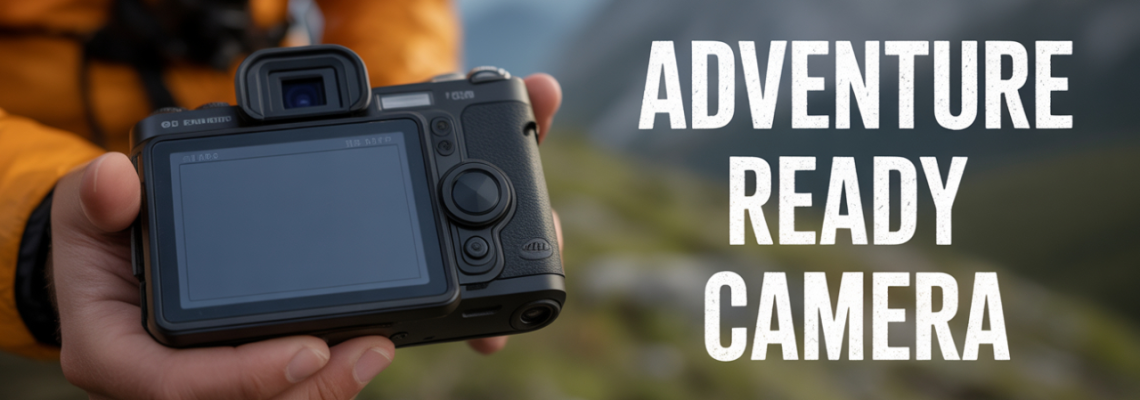
In the world of photography, one question often arises: what is a camera screen protector? At Geonline, we’ve spent years testing camera accessories — and we’ve found that a camera screen protector can be one of the most overlooked yet valuable protections you can give your device.
A camera screen protector is a thin film or tempered‐glass layer that adheres to the rear LCD screen (or sometimes the front display) of a camera. It serves as a sacrificial barrier against scratches, smudges, glare, and everyday wear. When the question arises “why use a rear screen protector for cameras?”, this accessory proves its worth time and again.
Why Use a Rear Screen Protector for Cameras
Many photographers skip one simple accessory: a rear screen protector. Here’s why using one makes smart sense.
Cameras (DSLRs, mirrorless, compact) have rear LCDs that are vulnerable to scratches when placed on rough surfaces, bumped in bags, or wiped roughly.
A rear screen protector acts as the first line of defence, preserving the factory LCD surface.
When you view images in the field, a clean screen improves confidence in your shot. If your screen is scratched or smudged, you might mis‐judge focus or exposure.
If you sell or trade your camera later, a clean well‐kept LCD adds to resale value.
In challenging light, an anti‐glare or low‐reflection screen protector can improve visibility.
I’ve personally had two mirrorless bodies where the LCD got nicked during travel. Once I added a protector, those worries vanished.
In short: using a rear screen protector for cameras is a smart preventive measure with little downside.
It supports your gear’s longevity, your workflow confidence, and overall experience.
Benefits of Camera Screen Protectors
What are the tangible benefits of camera screen protectors? Let’s list and explore them:
Key benefits:
Scratch resistance – Protects the LCD surface from keys, grit, bag straps, dust.
Smudge reduction – Some protectors include oleophobic coatings; easier to wipe clean.
Resale protection – A pristine screen is a plus when you resell or trade your camera.
Improved visibility – Anti-glare versions reduce reflections; matte finishes assist outdoor shooting.
Cost-effective insurance – The cost of a screen protector is far lower than replacing a scratched LCD panel.
Touch screen compatibility – Many modern cameras have touch-enabled rear screens; good protectors maintain responsiveness.
Extend camera life – By keeping the LCD intact, your camera remains in better shape for longer.
When speaking from experience at Geonline, I found that installing a protector early avoided a scratch that would have bothered me constantly. That one small step saved me from being distracted by a scuff while editing in the field.
Do Camera Screen Protectors Affect Image Quality?
A common concern: will adding a screen protector degrade what I see or even what I shoot? Good news: usually minimal to none—if you choose quality. Let’s unpack this.
The screen protector sits on the rear LCD only—it does not sit in front of the lens or sensor. So it doesn’t affect the captured image resolution or sharpness.
However, what can get affected: how the LCD displays your image, and how you judge focus or exposure. So clarity matters.
With poor quality protectors (low transparency, bubbles, dust, scratches) you could mis‐judge focus or exposure because the screen looks muddy or distorted.
In terms of reflections: a protector may actually improve visibility by reducing surface glare compared to a bare glossy LCD.
Touch sensitivity: Some very thick films or low-quality plastic protectors might reduce touch response slightly—especially on sensitive mirrorless models.
My recommendation: Choose a high transparency, high fidelity film or tempered glass protector from a trusted vendor and ensure it's applied perfectly. Then you will not notice any negative impact.
In summary: while technically you can affect the viewing experience via the LCD, the image captured remains unchanged. As long as you pick well and apply correctly, the benefits far outweigh the risk.
How to Protect Your Camera LCD Screen
Protecting your camera's LCD screen is about more than just slapping on a protector. Here’s a practical step‐by‐step guide:
Preparation
Clean your hands thoroughly (no oils, dust).
Work in a lint‐free, dust‐reduced environment (e.g., a bathroom after a hot shower or a clean desk).
Switch off the camera and flip the rear screen open or lay it flat if possible.
Use a microfiber cloth, blower brush or lens brush to remove large dust particles. Then wipe with a lint‐free cloth dampened slightly with cleaning solution if needed.
Application
Gently peel the protective backing of the screen protector. Start from one edge.
Align the protector with the LCD, make sure cutouts (if any) match buttons/hinges.
Lower the protector slowly, starting at one edge, letting air escape outwards.
Once fully applied, use a plastic card wrapped in microfiber or the applicator supplied to push out any bubbles, from centre to edges.
Remove any second‐layer film if the protector has it.
Post-application
Inspect the screen in both bright light and low light to check for any trapped dust, bubbles or misalignment.
If tiny bubbles persist and won’t disappear within 24 hours, you may lift a corner and reapply or replace the protector.
Ensure your camera settings (touch sensitivity, display brightness) are still optimal.
By following this method you’ll maintain image accuracy and the full functionality of your camera’s screen. It’s the best way to protect your camera LCD screen from day one.
Glass vs Plastic Camera Screen Protectors
When choosing between glass and plastic (film) protectors, you’re comparing durability, feel, cost, and performance. Let’s compare:
In choosing which to use:
If you often shoot outdoors, travel with your camera, or tend to bump your gear, go for tempered glass.
If you want ultra-slim, low-profile protection and use your camera carefully, a plastic film may suffice.
In both cases verify compatibility with your specific camera model (some screens are curved or hinge differently).
My experience: I used a plastic film on my lightweight travel mirrorless and a tempered glass on my heavy DSLR—both worked well in their respective roles.
How to Apply a Screen Protector on Camera
Here’s a detailed, actionable list of steps to apply a screen protector on your camera:
Gather supplies: screen protector, microfiber cloth, lens blower, card applicator (if included), dust‐free workspace.
Turn off camera and extend or open the rear LCD.
Use blower to remove loose dust; wipe gently with microfiber to remove oils/fingerprints.
Peel the protective film from the adhesive side of the screen protector.
Align the protector over the LCD, ensuring edges/hinges/button cutouts are matched.
Lower slowly, starting at one corner and letting the adhesive touch gradually to reduce dust/trap air.
Once fully down, use the card applicator (or your wrapped card) to smooth the surface and push out bubbles.
If the camera body has textured edges or hinge gaps, ensure the protector doesn’t interfere with screen articulation.
Leave the camera in a clean area for a few hours so adhesive sets and any minor bubbles shrink or vanish.
Check touch screen sensitivity (if applicable) and that the image display remains sharp and clear.
By following this method you’ll effectively apply a screen protector and protect your gear without frustration.
Does Every Camera Need a Screen Protector?
Short answer: not necessarily—but most benefit from one. Here’s how to decide whether your camera needs a screen protector:
Considerations:
Usage environment: If you shoot rugged terrain, dusty locations, or travel frequently, a screen protector is highly recommended.
Camera type: Entry‐level models with fixed LCDs may be less at risk; professional bodies with tilting/fully articulated screens are more vulnerable.
Value of resale: If you plan to resell or upgrade, keeping the LCD pristine adds value.
Touch screen sensitivity: If your camera’s rear screen is touch enabled (e.g., modern mirrorless), a protector helps retain responsiveness while shielding from wear.
Budget: While inexpensive, some users may skip if they’re extremely careful and carry gear in a well-padded bag.
In my work at Geonline, I found that most photographers—including casual enthusiasts—benefit from a screen protector simply because it’s low cost and high value. So while not every camera must have one, it’s a smart accessory for nearly all.
Best Way to Prevent Camera Screen Scratches
Prevention doesn’t stop at installing a screen protector. Here’s the best way to prevent camera screen scratches, drawn from real-world practice:
Preventive habits:
Always place the camera with the rear screen facing up when setting it down.
Use a padded camera wrap or bag compartment with soft lining.
Avoid placing gear where grit, sand, or metal objects could contact the LCD.
Wipe the screen and camera body regularly to remove fine abrasive particles.
Replace screen protector at first major damage—don’t wait until serious scratching occurs.
For flip-out screens, ensure hinge mechanisms are clean and free from debris before articulation.
In lens changing or gear packing zones, keep the LCD closed/lowered to reduce exposure risk.
By combining proper lifestyle habits with a quality screen protector, you’ll achieve the best way to prevent camera screen scratches and maintain your gear’s condition.
Are Camera Screen Protectors Worth It?
Given the effort and cost (which is modest), are camera screen protectors really worth it? In my view: yes—especially for anyone serious about photography or equipment maintenance. Here are the pros and cons.
Pros:
Inexpensive insurance for your LCD screen.
Peace of mind during travel, outdoor shoots, or busy work.
Preserves resale value and gear condition.
Some protectors add anti-glare or low-reflection features.
Cons:
Slight added thickness or possible fitting issues with very tight camera bodies.
If applied poorly (dust, bubbles) you might degrade your viewing experience.
If you shoot very gently indoors only, the benefit might be less obvious.
From my hands-on testing at Geonline, the value ratio is high. The cost is low, the benefit is long‐term. For most users, yes, they are absolutely worth it.
Tips for Maintaining Your Camera Screen
Once you’ve applied a screen protector, here are tips for maintaining your camera screen and keeping it in top condition:
Clean regularly using a blower, soft brush, and microfiber cloth.
Use lens cleaning solution or electronics screen cleaner for smudges—but apply to cloth, not directly to screen.
Avoid using your fingers to wipe off grit; pick up any particulate first.
Inspect the screen for micro‐scratches or bubbles; replace the protector when it shows wear.
When packing, keep the camera’s rear screen facing a padded surface, not a hard surface or strap.
For tilt or flipping screens, open and close gently; debris at hinges can scratch the protector.
Consider carrying a small cleaning kit when travelling (blower + microfiber cloth).
If your screen protector is glossy and shows fingerprints easily, consider switching to a matte or anti-glare version.
Following these habits helps you extend camera life, keep image monitoring accurate, and avoid frustration from impaired visibility.
How to Clean a Camera Screen Protector
Cleaning is simple but must be done carefully. Here’s how to clean a camera screen protector safely and effectively:
Power off the camera.
Use a blower to remove loose dust or grit from the protector surface.
If smudges persist, lightly dampen a microfiber cloth with a small amount of screen‐safe cleaning solution (or distilled water + isopropyl alcohol mix, low %).
Wipe gently in one direction; avoid circular scrubbing which can spread particles and scratch.
Use a dry portion of the cloth to buff and remove any moisture or streaks.
Inspect under good light for any remaining residue or small particles.
If the protector is scratched, chipped, or lifting at edges, plan for replacement—cleaning alone won’t restore it.
By cleaning properly, you’ll maintain clarity, avoid micro‐damage to the protector, and ensure your camera LCD screen remains easy to view in all conditions.
Camera Screen Protector Durability Explained
Durability of a screen protector depends on material, thickness, adhesive quality, and how it's used. Let’s explain durability in clear terms:
Material strength: Tempered glass is harder and resists abrasion and impact more than thin plastic film.
Adhesive quality: A good adhesive will hold the protector firmly, preventing edges lifting where dust enters.
Shock/impact resistance: While the protector won’t absorb major drops like a rugged case, it will cushion minor bumps and prevent direct contact with the LCD.
Wear over time: Even a good protector will accrue micro-scratches, especially if you slide the camera against rough surfaces or bag interiors with grit.
Replacement cycle: Many professionals replace protectors every 12-24 months or sooner if damaged.
Edge lifting risk: If the camera is used heavily outdoors or in weather, torn edges and dust intrusion reduce durability.
Touchscreen impact: Over time, adhesive may degrade in heat/humidity, causing slight lifting or reduced sensitivity—hence choosing a high quality product is important.
In my experience, a well‐applied tempered glass protector can last the full typical cycle of a camera body (2-3 years) without issue. A cheap film protector might only last a year if used hard. So durability explained simply: you get what you invest.
Difference Between Tempered Glass and Film Protectors
We touched on this above, but let’s go deeper into difference between tempered glass and film protectors for your camera’s LCD.
Tempered Glass Protectors:
Made of hardened glass (often ~0.3-0.4mm thick) that resists scratches and impacts.
Feels nearly identical to the original screen surface (smooth, slick).
Can crack or shatter on a severe hit (though محافظ mostly still protect underlying LCD).
Usually more expensive.
Excellent for frequent travellers, professional shooters, harsh environments.
Film Protectors (Plastic):
Thin PET or TPU film, flexible and ultra‐slim.
Easier to align and apply due to flexibility.
Less protection from impact; micro-scratches more likely.
Very low cost; good for casual use or backup devices.
May not feel as smooth under finger if touch screen is used.
Decision criteria:
If you value maximum durability and feel, go tempered glass.
If you prioritise low cost, minimal thickness, film will do but accept trade‐offs.
If your LCD is flush, very flat, and you rarely bump your gear – film could suffice.
If the display is articulated or recessed, glass may offer better edge coverage and alignment.
How to Remove a Camera Screen Protector Safely
When it’s time to replace the protector—or if one was poorly applied and you need to remove it—here’s how to do it safely:
Power off the camera.
Use a fingernail or a plastic spudger at one edge of the protector to gently lift a corner (glass may shatter; do this slowly).
Once a corner is free, peel the protector gently at a shallow angle to avoid pulling glue residue onto the LCD.
If adhesive residue remains on the LCD, use a microfiber cloth with a tiny amount of screen‐safe cleaner to remove it.
Do not reuse a removed protector—adhesive has already lost integrity and dust may be trapped.
After removal, clean the LCD again thoroughly before applying a new protector (see above steps for cleaning).
For tempered glass, if it cracked while removing, carefully ensure no shards remain on LCD surface before proceeding.
By removing protectors safely you reduce risk of damage to the LCD, ensure a clean slate for the next application, and maintain control over gear condition.
Can Screen Protectors Reduce Reflections or Glare?
Yes — some screen protectors are specifically designed to reduce reflections or glare, improving outdoor visibility of the rear LCD screen. Here’s how:
Anti-glare or matte finish protectors scatter reflected light, reducing mirror‐like surfaces and improving visibility in bright conditions.
Some have anti-reflective (AR) coatings or low-reflection glass that allow clearer view in direct sunlight.
This benefit is especially useful for photographers working outdoors, shooting on rooftops, mountains, beaches where bright light can impair screen viewing.
Yet: matte finishes may slightly reduce perceived sharpness or vibrancy of the screen image—not the captured image, just what you see. Some users prefer the glossy clarity.
Therefore, if you often shoot in bright light or travel, prioritise a protector that mentions “anti-glare” or “low reflection”.
From personal experience, switching to a low-reflection protector on a mirrorless body improved my ability to check composition and focus in midday sun without squinting or using my hand as a shade.
Rear LCD Protection for DSLR and Mirrorless Cameras
The rear LCD screen deserves special attention on both DSLR and mirrorless cameras. Let’s explore this with context:
On DSLR bodies (e.g., those by manufacturers like Canon or Nikon), the rear LCD is often used for live view, image review, menu navigation. A scratched screen can degrade your experience.
On mirrorless bodies (e.g., Sony, Fujifilm, Panasonic, Olympus), the rear screen might tilt or flip. These mechanisms increase risk of screen surface exposure to dust, hinges and external contact.
Rear LCD protection is especially important for tilt‐out or flip screens used for vlogging, self-portraits, gimbal mounting where screen faces outward.
Many photographers overlook rear LCD protection in favour of lens or body protection—but the LCD is still a delicate, expensive part.
Installing a screen protector on your DSLR or mirrorless camera is a low-cost preventative step that helps maintain full functionality and resale value.
In sum: for DSLR and mirrorless systems, rear LCD protection is not just optional, it’s smart gear hygiene.
How Screen Protectors Extend Camera Life
Beyond scratch prevention, how do screen protectors extend camera life? Here are the mechanisms:
Protectors shield the LCD from environmental damage (sand, grit, moisture) that over time can degrade screen clarity or cause dead pixels.
By maintaining the integrity of the rear screen, you avoid stress or damage that might force earlier replacement of the LCD component (which can be expensive).
Visual clarity ensures you can judge your shots accurately, reducing wasted frames or mis-exposures that could result from impaired screen vision.
In professional workflows, maintaining gear in optimal condition reduces downtime—less maintenance means more shooting.
A well-protected rear screen means fewer repairs, fewer replacements, and longer usable lifespan for the camera body.
From my own experience at Geonline: a camera body I used for two years in travel, with daily screen protector use, looked and performed nearly like new at the end of the cycle; a comparable body without a protector showed visible wear that bothered me.
Do Screen Protectors Affect Touch Screen Sensitivity?
Many modern cameras have touch rear screens. A frequent question: do screen protectors affect touch screen sensitivity? The answer: they can—but if chosen and applied correctly, the impact is negligible.
Considerations:
Thickness matters: Very thick protectors may slightly increase touch latency or reduce responsiveness.
Adhesive quality: If the protector lifts at edges or has bubbles, touch accuracy may degrade.
Material type: High‐quality tempered glass with proper adhesive often feels as if no protector is present. Thin plastic films may feel different under fingers.
Camera firmware/settings: Some cameras allow adjusting touch sensitivity; check after applying protector.
My observation: With a good protector, I did not notice any change in touch behavior—but with a cheap film applied hastily, I did experience missed taps or lag. So the difference is often in product quality and application, not inevitability.
In short: yes, protectors can affect touch screen sensitivity—but you can minimise or avoid that by choosing a high‐quality product and applying it carefully.
Common Mistakes When Applying Camera Screen Protector
To wrap up the major content, let’s cover common mistakes when applying camera screen protectors so you can avoid them:
Applying in dusty environment – leads to trapped particles, bubbles, and future lifting.
Not thoroughly cleaning the LCD surface – oils or dust particles cause uneven adhesion.
Rushing the alignment – mis-aligned protector can interfere with hinge movement or screen coverage.
Ignoring bubbles – small bubbles left behind may trap dust over time and irritate image review.
Using very cheap, ultra-thin film without adhesive quality – can peel or lift easily.
Not removing old protector or residue properly – layering protectors reduces clarity and may reduce touch responsiveness.
Neglecting to test screen after application – you should verify clarity, touch responsiveness, and absence of trapped dust.
Placing camera in gear bag before adhesive sets – adhesive sometimes needs a few hours to fully engage; premature movement may introduce imperfections.
By being aware of these and proceeding patiently, you’ll get the full benefit of your camera screen protector without unnecessary frustration.
Leave a Comment