


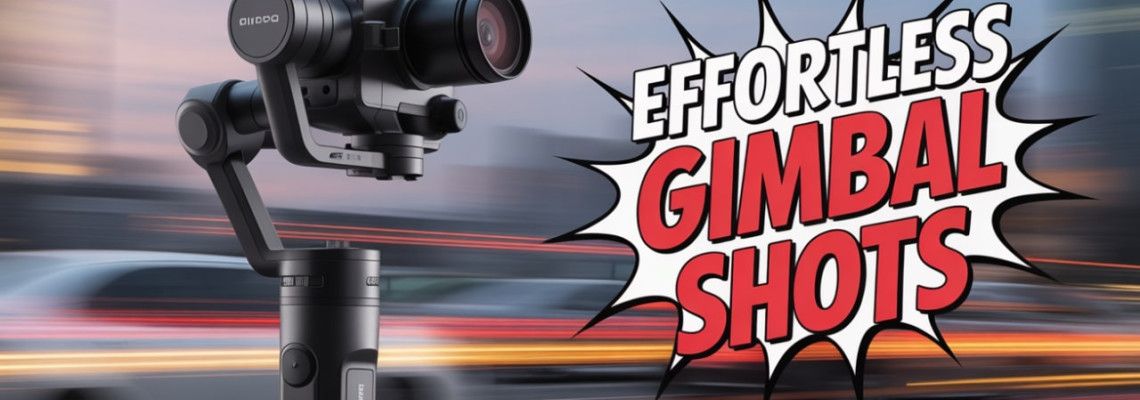
How to Use a Gimbal for Smooth Video
Video content has become more dynamic and cinematic than ever. Whether you are a YouTuber, filmmaker, or hobbyist, learning how to use a gimbal for smooth video is essential for capturing professional-quality footage. A gimbal is a handheld stabilizer that helps reduce shakes, jitters, and unwanted movements in your shots. In this Geonline guide, we’ll share practical tips, techniques, and insights that every videographer should know.
Why a Gimbal is Essential for Smooth Video
Gimbals have revolutionized video production. Unlike traditional tripods or handheld shooting, gimbals allow you to:
Achieve steady footage even while moving
Capture cinematic shots with fluid motion
Improve the professional quality of your content
Reduce post-production stabilization time
Tip: For beginners, a gimbal might feel complicated at first, but with consistent practice, it becomes a natural extension of your camera.
Beginner Gimbal Guide: Choosing the Right Tool
Selecting the right gimbal is the first step in achieving smooth video. Consider:
Camera Compatibility: Ensure the gimbal supports your DSLR, mirrorless, or smartphone.
Weight Capacity: Avoid gimbals that are too heavy for your camera setup.
Battery Life: Longer battery life is crucial for extended shoots.
Portability: Lightweight designs are ideal for travel and outdoor shoots.
Personal Tip: I started with a handheld gimbal for my mirrorless camera, which allowed me to practice walking techniques without feeling fatigued.
Gimbal Balancing Tips
Proper balance is crucial. An unbalanced gimbal will struggle to stabilize footage, and motors may wear out quickly. Follow these steps:
Mount your camera securely.
Adjust tilt, roll, and pan axes to center the camera.
Check the joystick response – camera should stay level without motor assistance.
Practice fine-tuning before shooting important footage.
Pro Insight: Balancing your gimbal correctly reduces shake and motor strain, giving longer usage and smoother shots.
Gimbal Movement Techniques
Learning how to move with a gimbal can elevate your footage dramatically. Some essential techniques include:
The Walk: Bend your knees slightly and roll your feet heel-to-toe for minimal vertical bounce.
Pan and Tilt: Smoothly rotate the gimbal to follow your subject without jerky movements.
Tracking Shots: Move alongside your subject using consistent speed for cinematic effect.
Crane Shot: Slowly lift the gimbal from low to high to reveal scenes dramatically.
Pro Tip: Combining proper walking techniques with gimbal settings ensures fluid, cinematic footage.
Handheld Gimbal Tips
Handheld gimbal use can feel challenging initially. Keep these tips in mind:
Hold the gimbal with two hands for stability.
Avoid sudden jerky movements.
Use gimbal modes (e.g., follow, lock, pan, or POV) strategically.
Practice slow motion shots to enhance fluidity.
Remember, even subtle mistakes can appear amplified on video, so patience and repetition are key.
Gimbal Settings for Video
Optimizing your gimbal settings is critical for professional footage:
Motor Strength: Adjust based on camera weight.
Follow Speed: Lower speeds for cinematic shots; higher for fast action.
Deadband Settings: Reduce unintended micro-movements.
Tilt & Pan Smoothness: Helps control the smoothness of movement transitions.
Insight: Each gimbal model has unique settings. Experimentation is crucial to find what works best for your style.
Avoiding Gimbal Shake
Even with a gimbal, poor technique can result in shake. Avoid this by:
Keeping elbows close to your body.
Walking heel-to-toe instead of taking long steps.
Using camera straps to reduce grip tension.
Balancing the gimbal before each session.
Smooth Cinematic Shots with Gimbal
Cinematic shots make videos look professional. Key shot types include:
Tracking Shots: Follow a moving subject smoothly.
Reveal Shots: Slowly lift or rotate the gimbal to show the environment.
Push-In/Out Shots: Move the gimbal toward or away from the subject.
Orbit Shots: Circle around the subject while maintaining focus.
Tip: Combining gimbal movement techniques with camera composition will enhance storytelling.
Camera Stabilization Accessories
To enhance gimbal performance, consider these accessories:
Lens support rigs for heavy lenses
Counterweights for unbalanced cameras
Follow focus systems for precise focus control
Extension arms for higher or creative angles
These tools improve workflow and reduce fatigue during long shoots.
Best Gimbal Practices
Consistent habits lead to better results. Adopt these practices:
Charge batteries before each shoot.
Check balance and calibration daily.
Clean motors and axes regularly.
Use soft movements to avoid motor strain.
Record test shots before critical footage.
Gimbal Workflow for Videographers
A smooth workflow includes:
Plan your shots with storyboards or shot lists.
Balance the gimbal properly.
Adjust settings for each type of movement.
Practice your movements multiple times.
Shoot in controlled environments for consistent results.
Review footage and fine-tune techniques.
This workflow reduces errors and enhances efficiency on set.
People Also Ask (FAQs)
Q1: Can beginners use a gimbal effectively?
A: Yes. Beginners can start with lightweight handheld gimbals and practice balancing and walking techniques for smooth footage.
Q2: How do I prevent shake while walking with a gimbal?
A: Walk heel-to-toe, keep elbows close, and bend your knees slightly to absorb motion.
Q3: What is the best gimbal for DSLR cameras?
A: Choose a gimbal that supports your DSLR’s weight and offers adjustable motor strength and cinematic modes.
Q4: How long does it take to master gimbal techniques?
A: With consistent daily practice, most users gain confidence and smooth shots within a few weeks.
Q5: Can gimbals work with smartphones?
A: Yes. Many modern gimbals support smartphones and provide professional stabilization features.
Q6: What settings are ideal for cinematic shots?
A: Use lower follow speeds, smooth tilt and pan settings, and proper motor strength to achieve fluid cinematic movements.
Q7: Do I need additional accessories for smooth video?
A: While optional, lens supports, counterweights, and follow focus systems enhance stability and creative control.
Final Thoughts
Mastering how to use a gimbal for smooth video transforms ordinary footage into cinematic storytelling. With proper balance, movement techniques, settings adjustments, and practice, anyone can achieve professional-quality results. From my own experience, the key lies in consistent practice and experimentation—don’t be afraid to try new movements, angles, and shot types.
Leave a Comment