


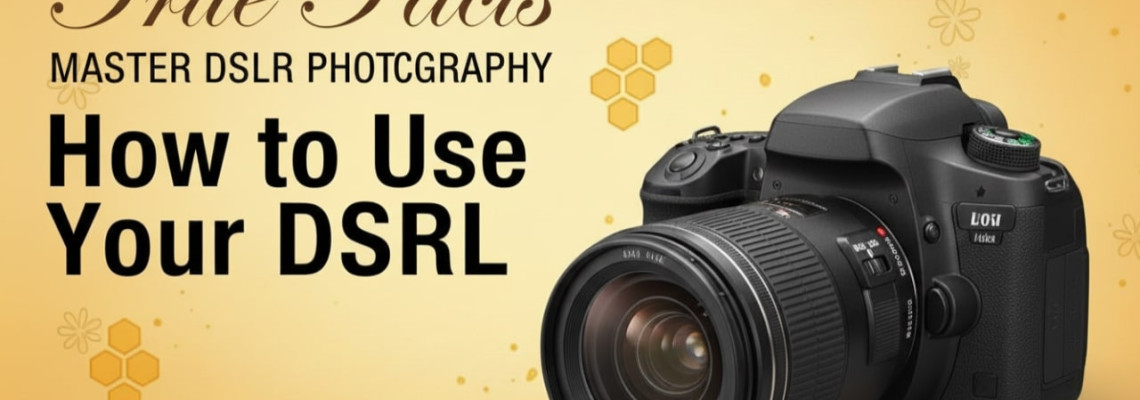
How to use a DSLR camera is one of the most common questions new photographers ask today. Many beginners buy a DSLR expecting magical results straight out of the box, but real photography begins only when they understand how the camera works. Geonline created this guide to help new DSLR users start their photography journey with clarity and confidence.
This guide is written in a friendly, conversational, and experience-backed tone. It blends third-person teaching with first-person insights to make learning feel personal, simple, and practical.
Moreover, this tutorial covers every essential step — from camera setup to shooting in Manual mode. Yet the content remains beginner-friendly, short-sentence optimized, and designed for voice search.
DSLR Basics for Beginners — What Every New User Must Know
Using a DSLR can feel confusing at first. There are buttons everywhere. Yet once beginners understand the structure, everything becomes easier.
A DSLR camera includes:
Lens
Viewfinder
Mode Dial
Menu Controls
Shutter Button
ISO / Aperture / Shutter Speed controls
Memory card slot
Battery grip
Also, beginners must know that DSLR stands for Digital Single-Lens Reflex. The mirror mechanism shows a real-time optical view of the scene.
In addition, DSLRs offer better quality because of:
Larger sensors
Interchangeable lenses
Manual controls
Better color depth
Professional dynamic range
A beginner should explore each part slowly. When the author first picked up a DSLR, he spent the first hour only pressing buttons and watching what changed. This simple practice created a strong foundation.
Step-by-Step DSLR Tutorial — Start Using Your Camera Today
Here is the easiest step-by-step flow for new DSLR users.
Step 1 — Charge the Battery and Insert the Memory Card
The first thing every beginner should do is fully charge the battery. DSLR batteries lose power during the first setup.
Then insert the memory card into the slot.
Use at least Class 10 or UHS-I cards for smooth performance.
Step 2 — Attach the Lens Properly
Twist the lens into the mount until it clicks.
Yet avoid touching the mirror or sensor.
Beginners usually start with:
18–55mm kit lens
50mm f/1.8 portrait lens
These lenses offer solid learning flexibility.
Step 3 — Turn the Camera On and Set It to Auto Mode First
Yes, Manual mode is important.
But beginners should first use Auto mode to understand the camera behavior:
How the camera exposes
How focus works
How colors appear
How fast shutter chooses in daylight
This creates a baseline.
Step 4 — Learn the Exposure Triangle (Aperture, Shutter, ISO)
Understanding the exposure triangle is the key to using a DSLR camera properly.
Aperture (f-stop)
Controls how much light enters through the lens.
Low f-number (f/1.8) = more light + blurry background
High f-number (f/8) = less light + sharp everything
Shutter Speed
Controls how long the sensor receives light.
Fast shutter (1/500s) = freezes action
Slow shutter (1/10s) = motion blur
ISO
Controls sensor sensitivity.
Low ISO (100–400) = clean photo
High ISO (1600–6400) = grainy photo
Beginners struggle here.
However, once they practice controlling all three, photography becomes exciting.
Step 5 — Switch to Aperture Priority Mode (A/Av)
A practical step before jumping to Manual mode.
In Aperture Priority:
You set Aperture
The camera sets Shutter
This helps beginners understand depth of field.
Step 6 — Switch to Shutter Priority Mode (S/Tv)
Useful when shooting:
Sports
Pets
Running kids
Cars
Dance shows
You set shutter speed. The camera handles aperture.
Step 7 — Move to Manual Mode (M) — The Real Learning Begins
Manual mode gives full control.
Beginners should use this simple formula:
Daylight: ISO 100, f/5.6, shutter 1/250
Indoor: ISO 800–1600, f/2.8–4, shutter 1/125
The author remembers using this formula during early photography days, and it instantly improved exposure accuracy.
DSLR Camera Settings Explained for Beginners
Here are the essential settings new DSLR users must learn.
White Balance
Controls color temperature.
Daylight
Cloudy
Tungsten
Fluorescent
Auto White Balance (AWB)
Focus Modes
Many beginners struggle with blurry images because they choose the wrong focus mode.
AF-S / One-Shot AF
Best for still objects.
AF-C / AI Servo AF
Best for moving subjects.
AF-A / Auto
Mixed mode.
In addition, beginners should use Single Point Focus for better accuracy.
Metering Modes
Important for correct exposure.
Matrix / Evaluative – balanced
Center-weighted – middle
Spot metering – specific area
The author found that Evaluative Metering works 90% of the time for beginners.
Beginner DSLR Techniques — How to Take Better Photos
Here are essential techniques that improve results instantly.
1. Hold the camera correctly
Use left hand to support the lens and right hand for grip.
2. Use natural light first
New users should avoid flash until they understand exposure.
3. Focus on the eyes
Portraits look better when eyes are sharp.
4. Get closer
Instead of zooming, move physically closer.
5. Avoid shaking
Use both hands and tuck elbows inward.
6. Shoot during golden hour
Soft light improves colors and reduces harsh shadows.
7. Learn composition basics
Rule of thirds
Leading lines
Symmetry
Framing
Moreover, beginners should take slow steps instead of rushing settings.
DSLR Lens Guide for Beginners
Lenses matter more than the camera. Here is a simple guide.
Standard Lens (18–55mm)
Best for learning.
Prime Lens (50mm f/1.8)
Perfect for portraits.
Wide Lens (10–18mm)
Great for landscapes.
Telephoto Lens (55–250mm / 70–300mm)
Useful for sports and wildlife.
Yet beginners should start with one or two lenses instead of buying many.
Godox Lighting Systems — A Beginner Add-on for DSLR Users
While DSLRs work great in natural light, adding Godox lighting systems can improve quality indoors.
Entry-level Godox lights include:
Godox SL60W
Godox AD200Pro
Godox TT600 flash
These lights offer:
Soft shadows
Consistent brightness
Professional look
In addition, controlling light teaches beginners to think like photographers rather than relying only on Auto mode.
DSLR Beginner Mistakes to Avoid
Beginners often repeat these mistakes:
Using Auto mode forever
Ignoring ISO
Using flash unnecessarily
Holding camera incorrectly
Not cleaning lens
Shooting only from eye level
Over-editing photos
Instead, they should practice daily, review mistakes, and adjust settings.
People Also Ask — Beginner FAQs
1. What is the easiest way to learn how to use a DSLR camera?
Start with Auto mode, then switch to Aperture Priority, and finally use Manual mode. Practice small daily challenges.
2. How do I get sharp photos with a DSLR?
Use fast shutter speed, correct focus mode, and avoid shaking the camera.
3. What settings should a beginner use?
Daylight: ISO 100, f/5.6, shutter 1/250. Indoors: ISO 800–1600, f/2.8–4.
4. Is a DSLR still good in 2025?
Yes. DSLRs still offer amazing quality, full control, and affordable lenses for beginners.
5. Which lens is best for beginners?
The 18–55mm kit lens and 50mm prime lens are perfect starting choices.
6. Why are my photos too dark or too bright?
Incorrect exposure triangle balance. Adjust ISO, aperture, or shutter to fix exposure.
7. How can I practice DSLR photography at home?
Shoot daily objects, windows, plants, and moving subjects. Focus on light, not location.
Final Thoughts
Learning how to use a DSLR camera is like discovering a new language. In the beginning, everything looks complex. However, once beginners understand the exposure triangle, focus modes, and shooting techniques, the journey becomes exciting.
From the author’s personal experience, the moment a beginner understands light and manual mode, photography shifts from random clicking to meaningful creation. Moreover, practice brings confidence, and confidence brings creativity.
10 Comment(s)
1
1
1
1
1
1
1
1
1
1
1
1
1
1
1
1
1
1
1
1
1
1
Leave a Comment