


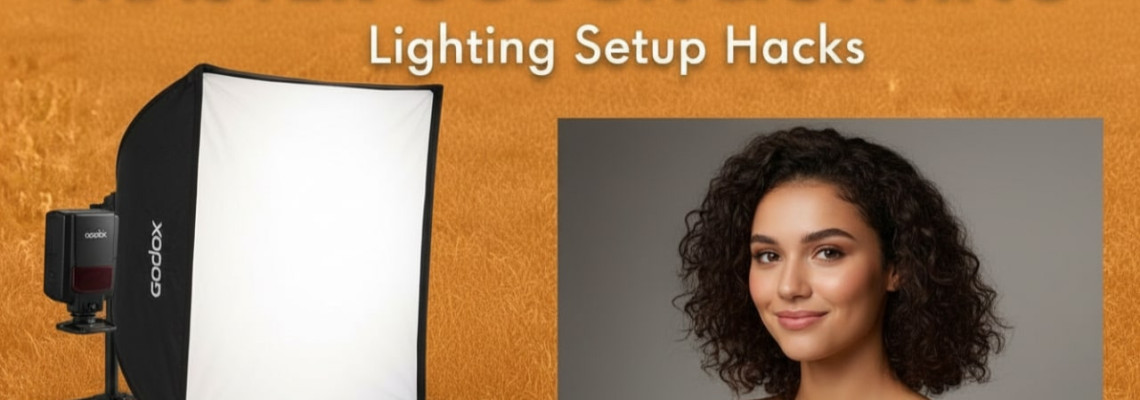
Godox lighting setup tips begin here — practical, tested, and written for creators who want better light without wasting money. This guide helps photographers and videographers pick the right Godox lights, set them up fast, and get consistent, cinematic results. Geonline tested these workflows in studio and run-and-gun shoots.
Why these Godox lighting setup tips matter
Many creators face the same problems: inconsistent color, bulbs that flicker, slow recycle under pressure, and bulky kits that slow down a shoot. Godox offers both flash and continuous systems that solve most pain points. Moreover, modern Godox models support TTL and HSS, and many now match higher-end competitors for output and color accuracy. For heavier-power needs, the AD and Knowled lines are solid choices.
Who this guide is for
Beginner photographers learning studio lighting.
Wedding and event shooters needing portable flash.
Content creators & videographers wanting affordable continuous lights.
Small studios building a consistent kit on a budget.
What you'll get from reading
Practical Godox lighting setup tips you can apply today.
A model comparison table and kit suggestions.
Step-by-step lighting setups (portrait, product, video).
Troubleshooting and best practices for TTL, HSS, wireless triggers, and color stability.
Short, actionable checklists for on-location work.
Quick Godox product primer (fast facts)
Godox flash systems like the AD200 and AD600 series are portable battery strobes with TTL and HSS support. They give powerful bursts for freezing motion and shaping light.
The V1/V1 Pro speedlights feature a round head for softer falloff and strong battery life for event work.
Godox LED lines (SL, VL, Knowled/M series) offer high output and competitive CRI/TLCI for video. Many beat older budget LEDs on price-to-output.
Table: Which Godox model to pick (quick reference)
8 Essential Godox lighting setup tips (apply immediately)
1) Start with color stability and test with a gray card
Always test color temperature before the shoot. Use a gray card or a color meter. Godox claims 5600K nominal color, but slight variation exists across models. Therefore, set a white balance lock or use a custom WB from a gray card shot. This prevents mixed-light surprises in post.
2) Use TTL to speed up location shoots — then learn manual
TTL gets you close fast. Yet, professional results come from switching to manual once you like the output. Also, for groups and tricky backlight, TTL + exposure compensation helps. In short: TTL for speed, manual for control.
3) When freezing motion, leverage HSS (High-Speed Sync)
HSS lets you use shutter speeds above camera sync speeds. Godox HSS is rated up to 1/8000s on many strobes. Use HSS for ambient control and creative shallow depth-of-field outdoors. However, expect reduced effective power in HSS.
4) Match modifiers to head type
Round-head speedlights (V1): use small soft modifiers, magnetic diffusers, or small spheres.
Bare-bulb AD heads: go with grid snoots or reflectors for punch.
Bowens-mount heads (AD200 with S2 bracket, AD600): enable large softboxes and beauty dishes.
5) Embrace Godox wireless X system and triggers
The Godox X-series triggers (XPro, X2, X3) let you control groups, TTL, HSS, and channel settings. Use consistent channels and test range before moving on location. Also, invest in spares and keep firmware updated.
6) Battery care for long shoots
Carry at least one spare battery per head for multi-hour wedding/event shoots. Godox lithium packs usually promise hundreds of full-power pops, but real-world battery life varies with temp and recycle settings. Recharge between sessions.
7) For video, prioritize flicker-free LEDs
Use Godox LED models rated with high CRI/TLCI (90+). Also, run tests at your camera’s frame rates and shutter angles to confirm no flicker under dimming. Many Godox LEDs perform well once you set consistent color data.
8) Build a modular kit — mix flash and continuous
A balanced kit usually contains: 1–2 speedlights or AD200s, 1 AD600 (or equivalent), two continuous LEDs for video, a medium softbox, a beauty dish, and a couple of grids. This lets one-person crews handle portraits, products, and short-form video with one system.
Sample setups — real-world, step-by-step
Portrait: Soft Rembrandt (single-subject, studio)
Key: AD600 with 90cm octabox at camera-left, f/5.6, 1/125, ISO 100.
Fill: V1 on camera-right bounced into white reflector at -1 to -2 stops.
Hair rim: Small AD200 bare-bulb with grid behind subject at +1.5 stops.
Background: LED panel (VL/SL200) low, to separate subject.
Result: punchy, subject pops off backdrop with smooth falloff.
Product: Crisp shadow control (on table)
Key: SL150/200 continuous at 45° with small softbox.
Fill: Reflector or white card opposite key at -1 stop.
Accent: Fresnel or snoot from top for highlights.
Camera: tripod, small aperture (f/8–f/11) for depth.
Result: tight shadow lines, consistent color for e-commerce shots.
Run-and-gun wedding: Fast and flexible
Two V1 speedlights on stands with diffusion.
One AD200 as off-camera rim with grid.
Use TTL with -0.3 to -0.7 exposure comp as default.
Carry two spare batteries and quick-release light stands.
Result: quick setups, reliable battery life, and consistent exposures.
Troubleshooting & pro tips
Problem: Color shift between flashes and LEDs.
Solution: Use gels to correct or set camera to custom WB using a gray card. Moreover, lock settings once the look is dialed.Problem: Slow recycle at full power.
Solution: Lower power or use a second battery-powered head in rotation.Problem: Triggering failure on location.
Solution: Check channels, avoid crowded frequencies, and test line-of-sight. Also, update firmware on triggers and heads.
Godox vs Aputure — practical comparison
Godox and Aputure both produce strong LED lines. Yet, buying decisions depend on use case. Godox often offers competitive lux-per-dollar and wider product variety for photographers and hybrid shooters. Aputure tends to emphasize build quality and ecosystem for cinema-style workflows. Therefore, weigh factors: output, color accuracy, accessory availability, and budget. For some Knowled/M-series Godox fixtures, reviewers found them competitive with Aputure’s high-end lights on lux and value.
Kit suggestions (budget tiers)
Starter kit (affordable, $)
2 × V1 speedlights
1 × AD200 pocket strobe
1 × softbox (60×90)
1 × Godox XPro trigger
Mid-tier kit (most creators)
1 × AD600 or AD600Pro II
2 × V1 or AD200s
2 × SL200/SL150 continuous panels
Softbox, umbrella, grids, reflectors
Pro kit (studio/cinema)
Knowled M-series or MG/MG1200 LED heads
1–2 × AD600Pro II for strobe needs
Bowens modifiers, Fresnels, diffusion frames
Accessories that speed up lighting setups
Light stands with sandbag safety.
Magnetic diffusers for V1 series.
Godox S2 bracket (to use Bowens modifiers on AD200).
Spare batteries and USB chargers.
People Also Ask (FAQ)
Q: What are the best Godox lighting setup tips for beginners?
A: Start with TTL to learn exposure, then switch to manual. Use a gray card for consistent color and carry spare batteries.
Q: Can Godox flashes do HSS for outdoor portraits?
A: Yes — many Godox strobes support HSS up to 1/8000s, enabling shallow depth-of-field outdoors.
Q: Is Godox better than Aputure for video?
A: It depends — Godox often gives better output per dollar, while Aputure focuses on cinema-grade features. Test both for your workflow.
Q: How do I avoid flicker with Godox LED lights?
A: Use high-CRI models and test at your camera frame rate before the shoot. Also, avoid dimming below recommended thresholds.
Q: What Godox light is best for studio portraits?
A: AD600Pro series for studio strobes and V1/AD200 for portable portrait work. Match modifiers to head type.
Q: Do Godox speedlights work on all camera brands?
A: Yes — Godox makes TTL-compatible versions for Canon, Nikon, Sony, Fujifilm, and others. Use the matching transmitter for full TTL support.
Final Thoughts
Geonline’s experience shows that Godox lighting setup tips become powerful when paired with methodical testing. Instead of chasing gear glitz, the photographer who masters color, modifier choice, and wireless control will win every shoot. Therefore, start small, practice TTL-to-manual transitions, and build a modular kit that grows with needs. In addition, document your presets and test routines so clients always get consistent results. With the right Godox kit and workflow, affordable professional lighting is fully achievable.
9 Comment(s)
1
1
1
1
1
1
1
1
1
1
1
1
1
1
1
1
1
1
1
1
1
1
1
1
1
1
1
1
Leave a Comment